> For the complete documentation index, see [llms.txt](https://docs.vapinetwork.ai/llms.txt). Markdown versions of documentation pages are available by appending `.md` to page URLs; this page is available as [Markdown](https://docs.vapinetwork.ai/quickstart.md).
# Quickstart
Make a paid API call and link an agent wallet.
{% hint style="info" %}
Call is launching. Router, Stake and Agents are coming soon. Tasks is in preview. Product instructions describe the launch flow.
{% endhint %}
This guide is for people who want to install the client, make a paid API call, and link an agent from one machine.
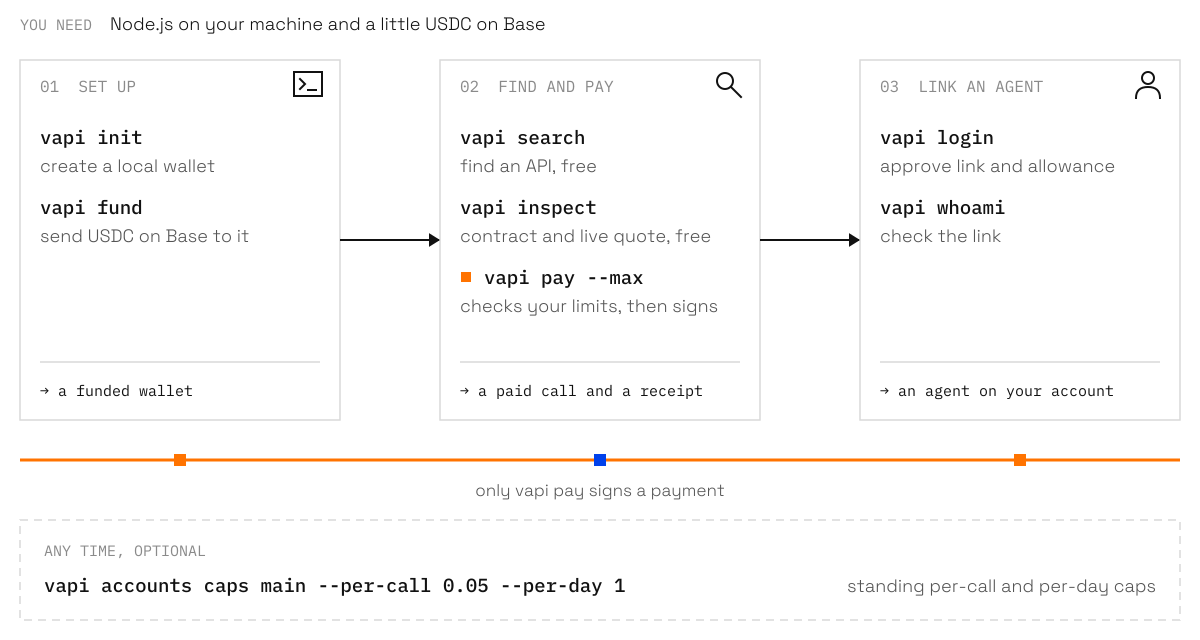
The quickstart at a glance. Only vapi pay signs a payment.
## Make a paid API call
Install the client and create a wallet:
```bash
npm i -g vapi-network
vapi init
```
If you do not want a global install, prefix each command with `npx vapi-network`.
Fund the wallet from the page that the client opens:
```bash
vapi fund
```
Send USDC on Base to the account address printed by `vapi init`.
Search for an API, inspect its request contract and live quote, then pay:
```bash
vapi search "weather"
vapi inspect
vapi pay --max 0.02
```
`vapi inspect` is free. `vapi pay` checks the live payment requirements and your wallet limits before it signs.
Set the account's per-call and daily caps when you want a standing limit:
```bash
vapi accounts caps main --per-call 0.05 --per-day 1
```
Add `--json` to search, inspect, or pay when another program needs the result. The client stores a local receipt after each payment attempt.
## Link an agent
Run this on the machine that owns the local agent wallet:
```bash
vapi login
```
Open `https://api.vapinetwork.ai/link?code=...` with your wallet, approve the link, and set a daily Router allowance in USD. Check the link from the local machine:
```bash
vapi whoami
```
## Next
* [Pay for your first API](https://docs.vapinetwork.ai/call/quickstart)
* [Run your first agent](https://docs.vapinetwork.ai/agents/quickstart)
* [Call your first model](https://docs.vapinetwork.ai/router/api-quickstart)
Checked on 2026-10-02.
---
# Agent Instructions
This documentation is published with GitBook. GitBook is the documentation platform designed so that both humans and AI agents can read, navigate, and reason over technical content effectively. Learn more at gitbook.com.
## Querying This Documentation
If you need additional information that is not directly available in this page, you can query the documentation dynamically by asking a question.
Perform an HTTP GET request on the current page URL with the `ask` query parameter, and the optional `goal` query parameter:
```
GET https://docs.vapinetwork.ai/quickstart.md?ask=&goal=
```
`ask` is the immediate question: it should be specific, self-contained, and written in natural language.
`goal` is optional and describes the broader end goal you are ultimately trying to accomplish on behalf of the user. GitBook uses it to tailor the answer towards what is most useful for that goal.
The response will contain a direct answer to the question and relevant excerpts and sources from the documentation.
Use this mechanism when the answer is not explicitly present in the current page, you need clarification or additional context, or you want to retrieve related documentation sections.